This was meant to be posed as a question at the least or a feature request at the most—But apparently Herb already has my interest covered.
Now I guess this is a tutorial!
Default formatting
This is what a table of contents should look like when working with the default Seq formatting for the Web book with Bibliography starter collection.
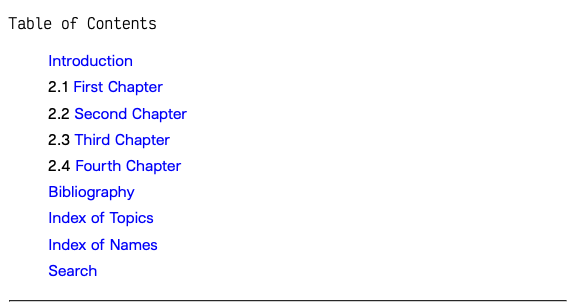
The form of each entry is direct representation of its function as determined by the corresponding note’s class. All but the “Chapter” notes have special classes assigned to them.
As explained in the Knowledge Book:
Frontmatter and bibliographic entries are often not shown with their sequence numbers, since these typically have less significance for this sort of content.
The same seems to go for the other special classes as well. You’ll soon find that this is common in book publishing if you haven’t noticed already.
This special Notenik software of ours has rolled the areas of concern crossing author and publisher into a single office; a single window with a variety of vistas. The main collection window is split into two sections. On one side is the collection’s list of notes. On the other is the note’s display. We need to manage the distinction between the Seq field’s significance as metadata that brings order to our collection as an outline of all data relevant to the authorship of the Web book and the Seq field’s significance in determining the display of the published contents of the collection.
Notenik gives order to all notes if you allow it to, but sometimes you only want this order represented in certain places in a certain kind of way. So we will have to play with the field’s display format in order to make our Web book look more like your average book.
“The coding scheme is two-dimensional.”
The default Seq field value in a collection’s template is <seq>. It merely specifies that the assigned label indeed ought to be treated according to the field’s purpose as documented for instances where it’s not otherwise implied.
In order to alter how the field is displayed according to our interests we need to extend its value.
Using the characters assigned to the field’s formatting code we can manipulate the Seq field’s presentation most under the collection’s List tab.
For example <seq: n> yields:
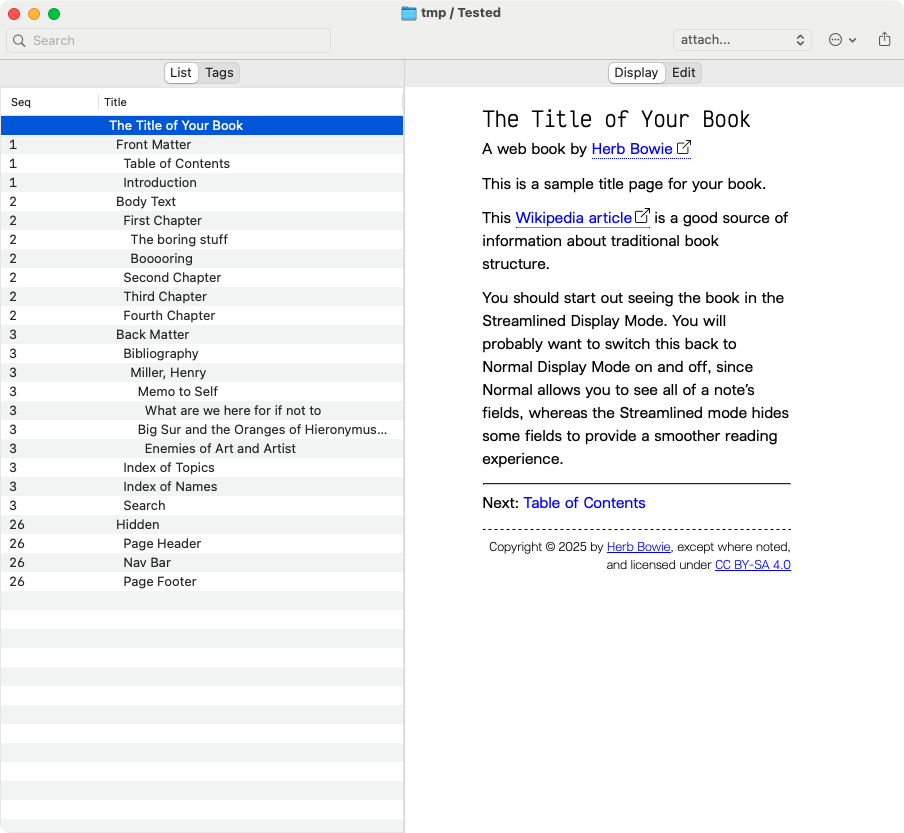
The first formatting string must accommodate the whole range of Seq values used within the entire collection. The deepest sequences of notes are represented by 5 integers. The first dimension of the Seq value—the first formatting string—needs to match this; <seq: n.n.n.n.n>.
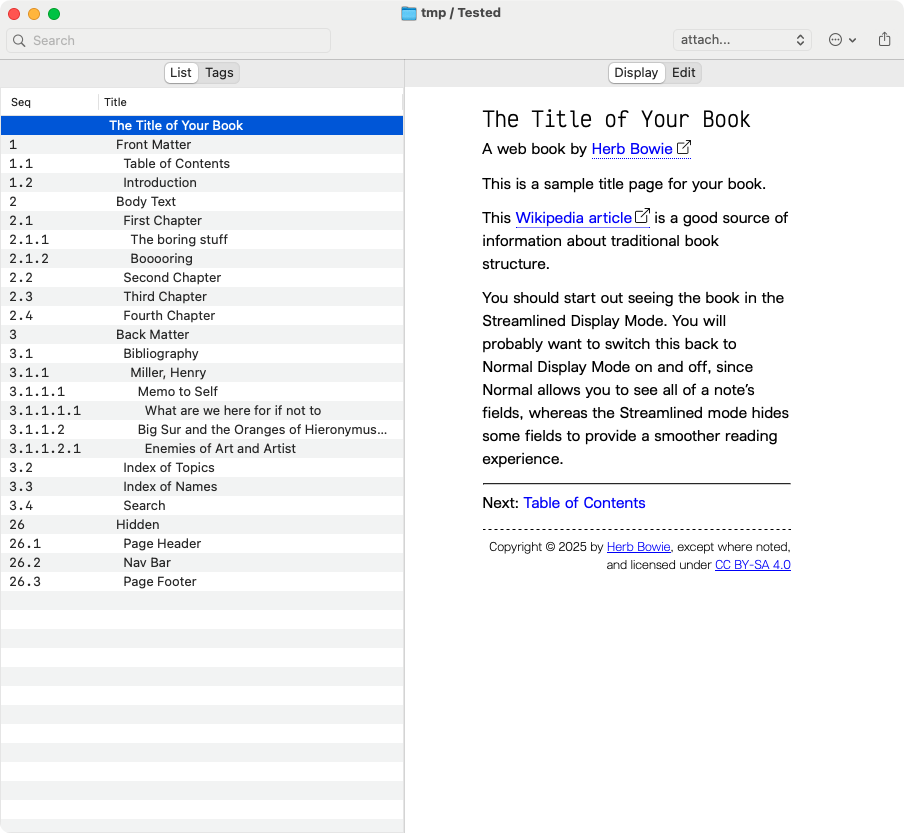
Yeah, but so what. We didn’t have to modify anything to get this.
Remember the objective. Remember the array of vistas present in our studio workshop named Notenik. As necessary as it is that we are able to see the natural order of the files we are working with on the left side, we also want to see our work beautified on the right. The effect of your spouse’s countenance—how it excites—is one thing. The calcified contours beneath her skin that make her cheeks “cheek”, the blood-rushed veins atop even that which you perceive to become like roses, represent other than that passion and its form if set in plain view. [1]
5 integers. Keep that in mind. 5 levels—distinct from the Levels field, I must inform you.
Note the table of formatting characters.
| Character | Meaning |
|---|---|
| x (or X) | Exclude this level |
| n (or N) | Include this level as-is |
| nn (or NN) | Multiple n’s can be used to indicate padding |
| a | Convert the number to a lower-case letter |
| A | Convert the number to an upper-case letter |
| i | Convert the number to a lower-case roman numeral |
| I | Convert the number to an upper-case roman numeral |
We intend to extend the Seq field into the second dimension of its formatting scheme. This requires that we assign additional formatting strings in proportion to the number of integers present in the first formatting string that are meant to be displayed. I emphasize the terminating condition “meant to be displayed” because while there are in fact notes with Seq values 5 integers deep, their top-level note has a special class assigned to it that indicates that the actual Seq is irrelevant to how the corresponding note may be displayed in book form. In the event that we are content with this arrangement we may only format our Seq field to accommodate for as many integers that are relevant to the collection’s primary content. In this case that would be the descendants of the “Body Text” note. We only need to format two additional integers. That requires three additional formatting strings in the Seq field.
Our Seq field might be formatted for four occasions then:
-
When the entire notes sequence value appears, such as under the List tab view.
-
When the first integer is least relevant to a note’s display (i.e., all Level 2 notes according to the specific function of the Level field that also have the Class
exclude). -
When the second integer is most relevant to a notes display (i.e., all Level 3 notes, such as the ones beneath the Level 2 “Body Text”)
- These notes represent the chapters of our book; their titles and body content.
-
When the third integer is most relevant to a note’s display (i.e., all Level 4 notes, such as the ones descending from notes that are beneath “Body Text” which may represent the sections of a whole chapter).
A notice on levels and sequences
The very first note in our collection is the title page, “The Title of Your Book”. It has a Level of 1 and an empty Sequence value. This explains the +1 offset between a note’s Level field and the relationship between how many integers represent a note’s sequential depth relative to its parent. The immediate children of the title page are all Level 2 and the very first child has a Sequence of 1, the next is 2, and so on…
Applying alternative formats
I’ll leave 1:~1 reproduction of the following table of contents pages as exercises to the reader. I only wish to provide a minimal representation of their formats.
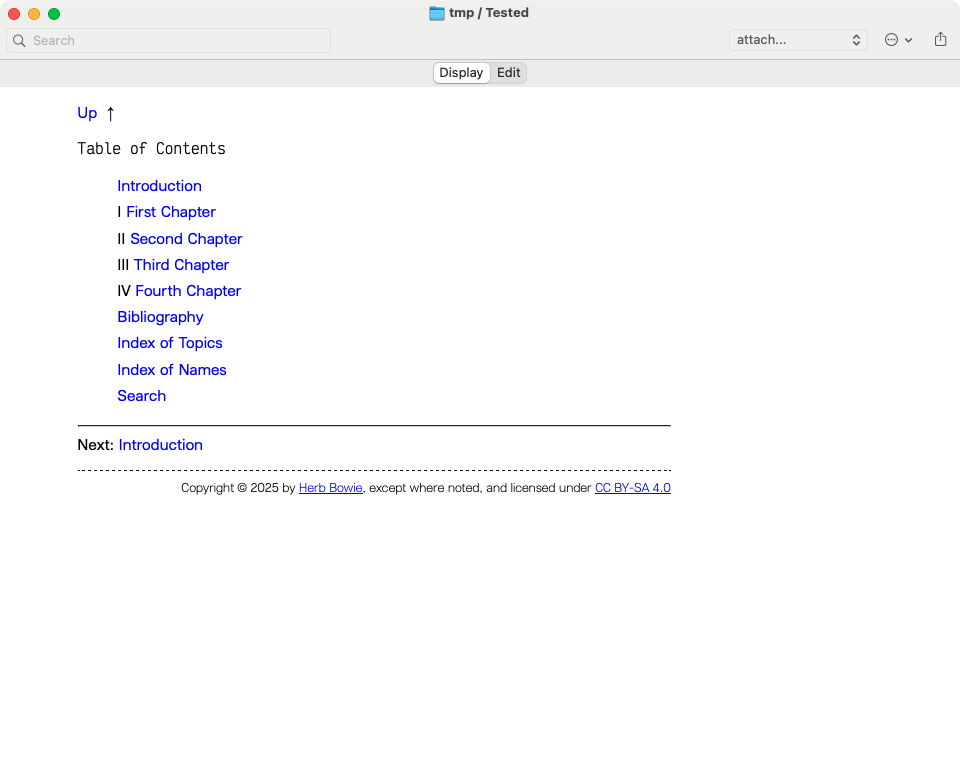
Roman numerals
According to our present collection template, in order to achieve a table of contents like the one shown below a navigation command of {:collection-toc:3-3} is necessary to hide any notes greater than a Level of 4 .
The Seq field may only be formatted to display two values:
- the complete Seq value as found under the List tab
- the partial values of all second-level notes that indicate chapters of our book.
These values will be found in the first and third formatting strings, respectively. The second string excludes the value of sequences that would otherwise apply to notes that don’t actually display their sequences anyway. They’re all special class notes, exclude, like the ones we referred to earlier.
So all we need for something like this:
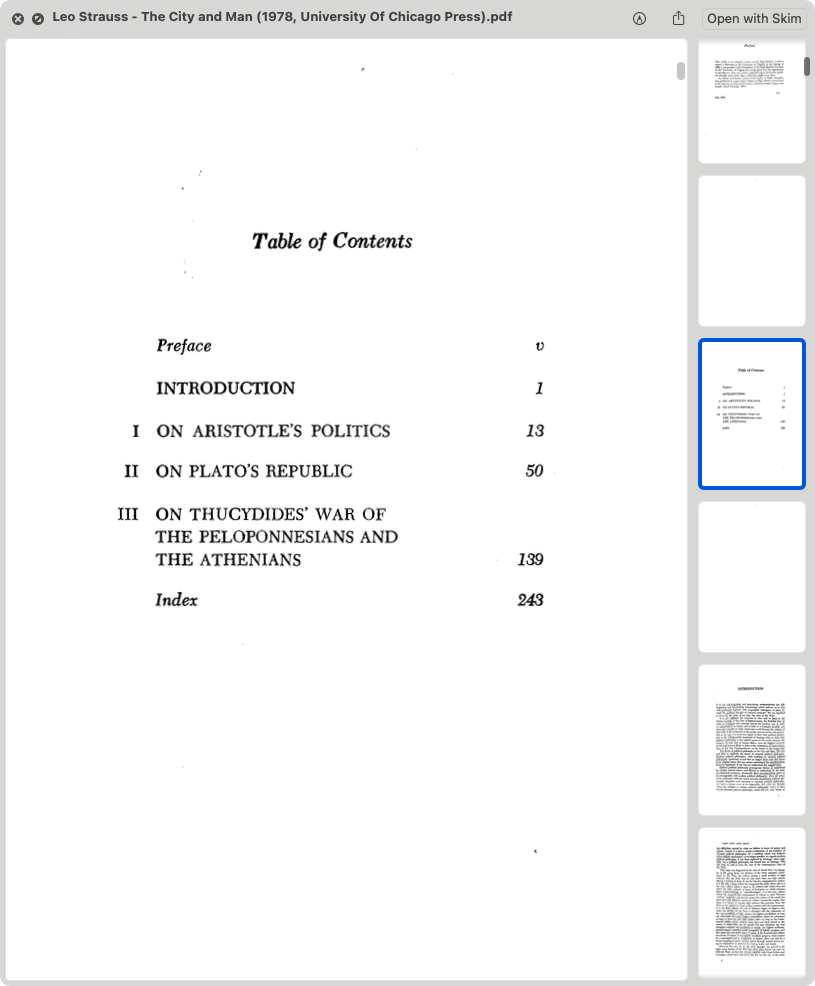
Is this—<seq: n.n.n.n.n|x|xI>.
With the expectation of:
Arabic numerals
For Arabic numerals, swap out the I character in the third string for a single n or N.
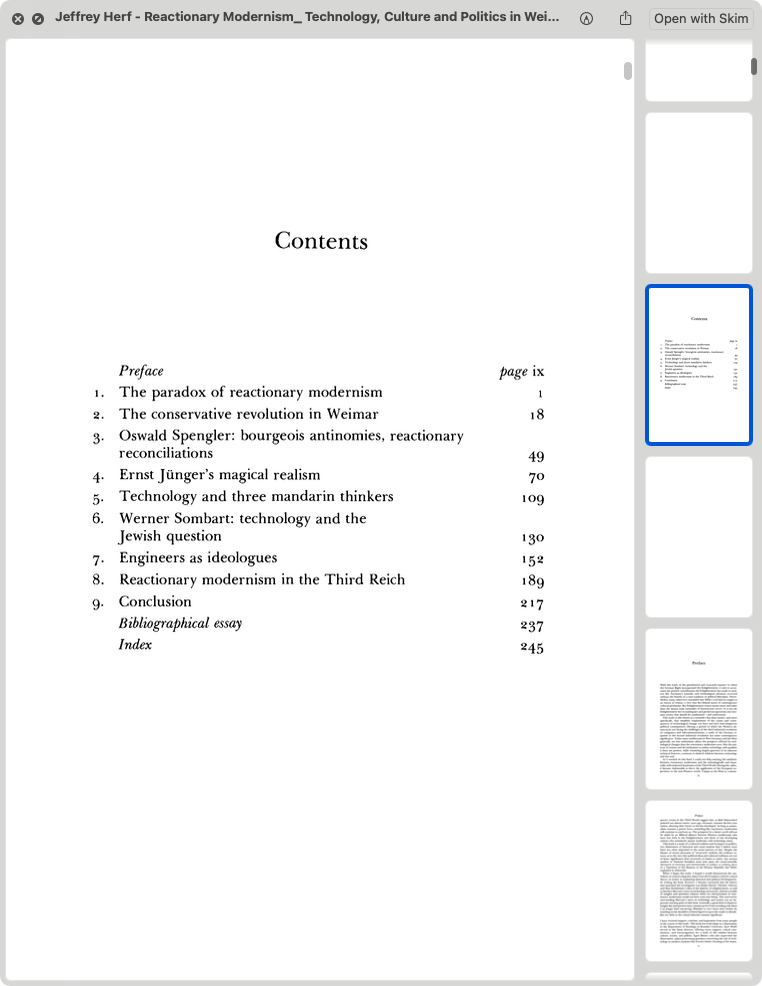
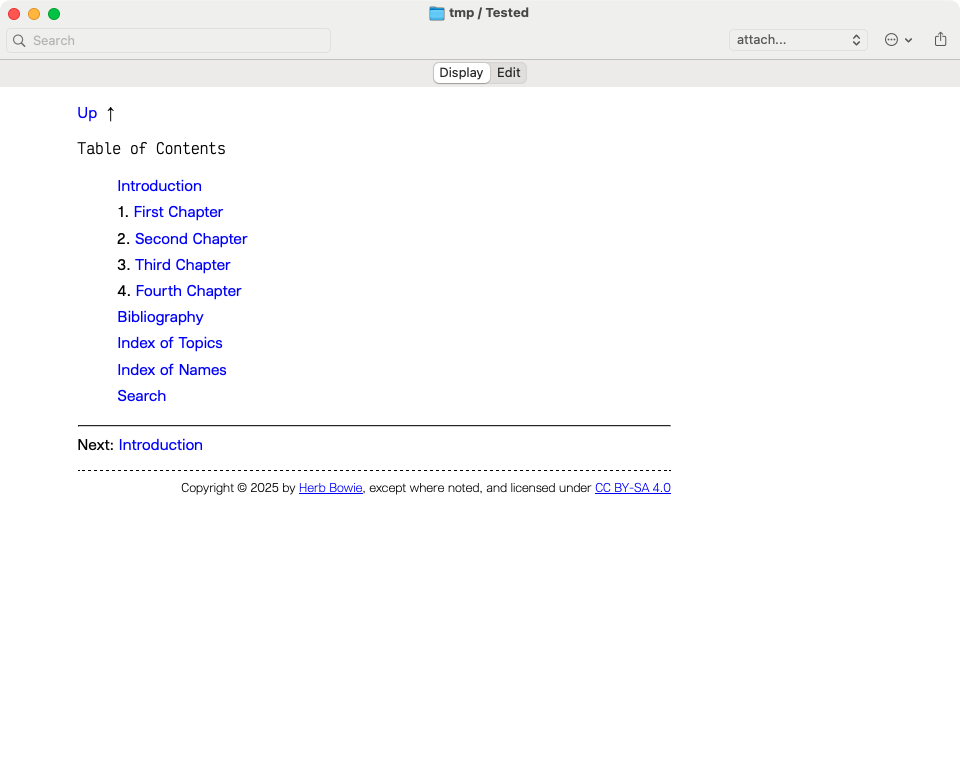
Like the Roman example, we’d have to fiddle with our display CSS to get that indentation to hang out of line from the rest of the table like in our examples. There are no page numbers in Web books. The affordance of hypertext links preclude their usefulness. We may decide to use short, memorable URL slugs to stand as page locators if necessary. This can be done automatically or by hand.
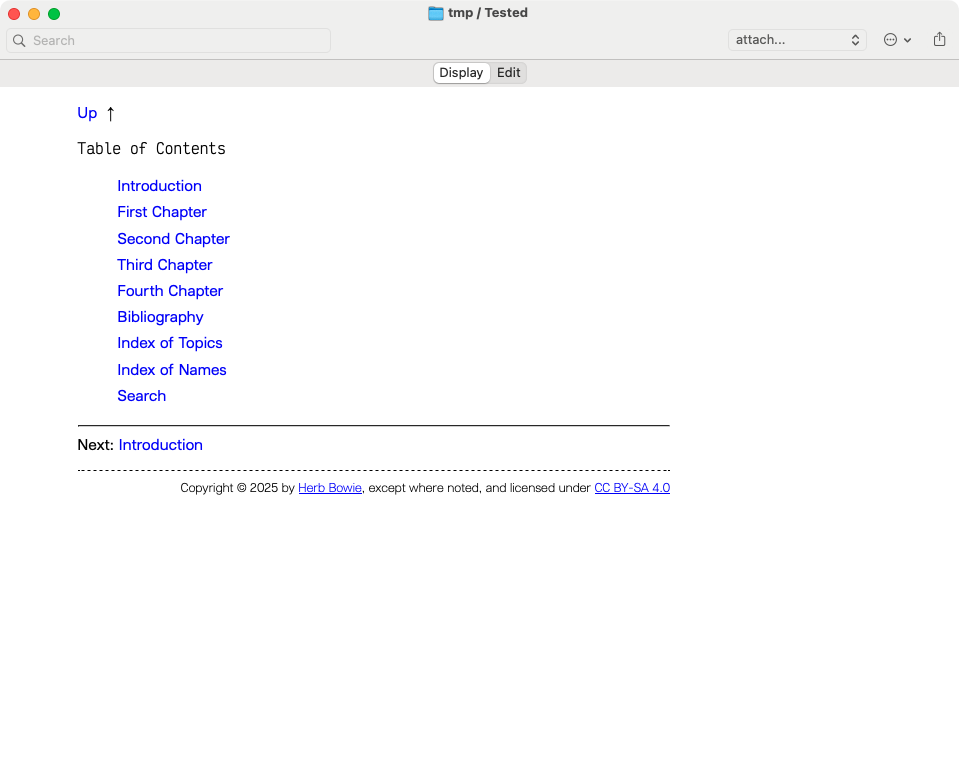
No numerals
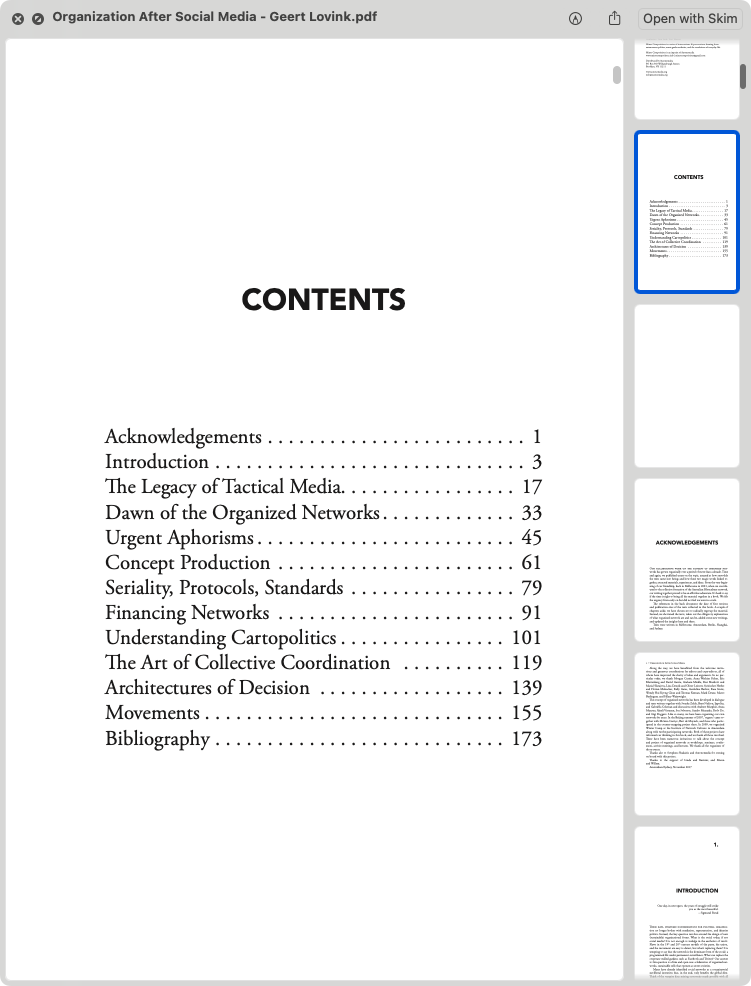
Simple.
Warranty
I can’t guarantee any degree of sensibility for this document. This is a morning’s worth of discovery turned into an afternoon’s amount of narration. I expect that twists between concepts like levels, sequences, values and integers may be haphazardly communicated.
My technical documentation course in college was entirely online. I never attended.
O, if not for these opportunities to appreciate the science of form and function in software would we ever again turn to look at the natural world around us; a bevy of creations all abound and amongst us; frontends, backends; end-to-end; a macrocosm itself encompassing the cosmos; all things made subject to order and essence? The miniature ways we forge our own interest and intent on earth are lost. Turned listless, I lament. We may run LISP code on top of UNIX boxes yet aren’t any nearer to taking all things into consideration in truth. ↩︎