Hi there, I’m new to Notenik. Not so long ago I tried the app but struggle with the setup process due to a weird bug with iCloud that didn’t let Notenik create its default folder.
Anyway, now that I have more time I wanted to really give the app a shot, so pardon me if this comes in the documentation as I’m already reading it but I may have missed this part.
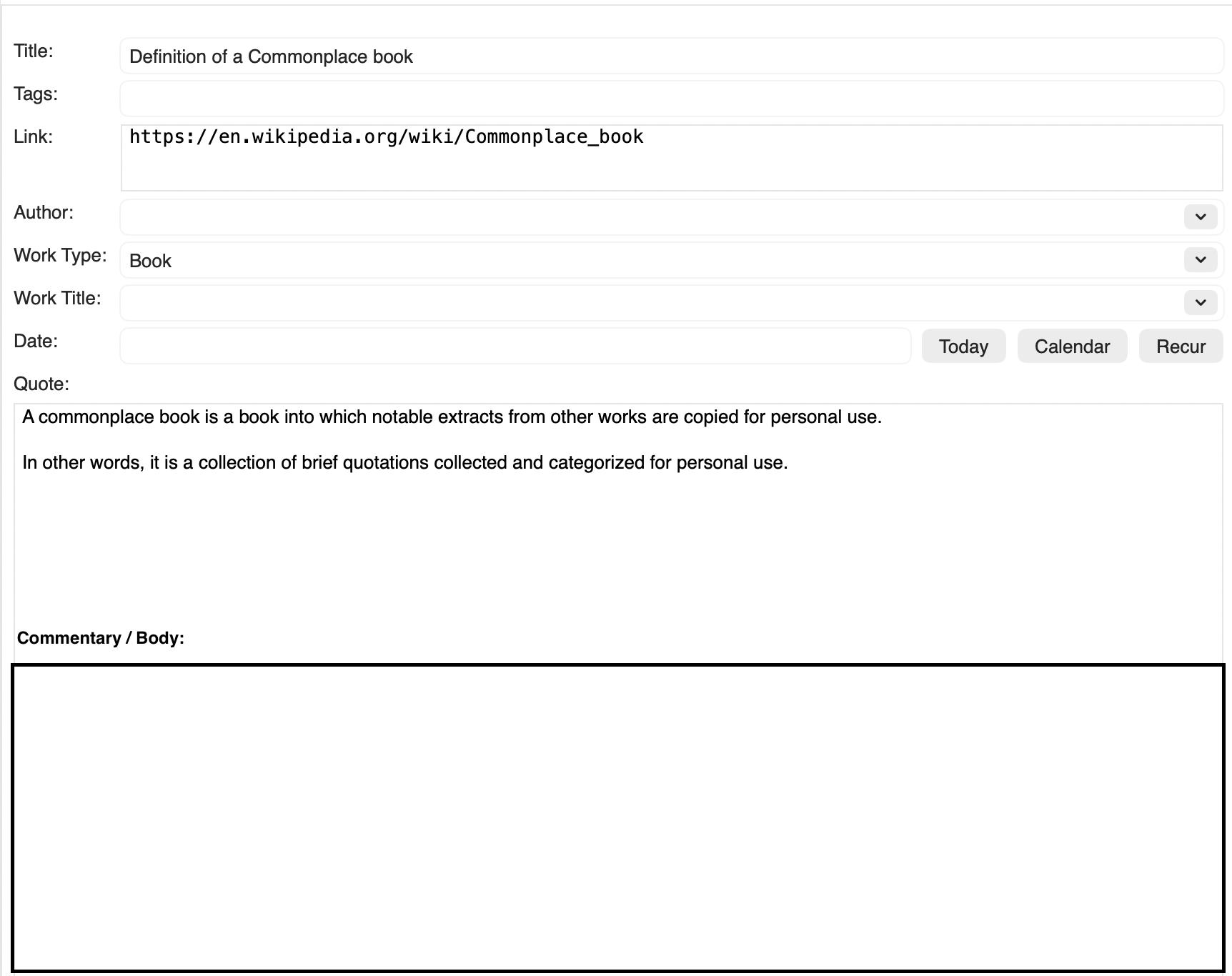
When I create a note on a commonplace collection (which BTW is fantastic that Notenik has one, no other app has this feature) I see the quote field instead of the body field, as expected for a commonplace book. However, I would like to know if it’s possible to add also the body field below it or a commentary field because I like to add my own thoughts to it.
See also the book: The well educated mind. For this process of commenting and having a discussion with the quotes of books.
Right now what I think it’s possible is to write the quote with this “<“ character and then below it type my own commentary.
Another solution could be creating a quote, tagging it as that but then when creating a comment tag that one as a comment but link it to the original quote. In that case, I wouldn’t know how to change the quote field to a body field.
They say an image is better than a thousand words, so here is a quick sketch. If there is another way to do it with the app and its intended use, please let me know so I can learn it.
I’d start by running the “Generate Sample Display Template” command and renaming display.css to something like _display.css to deactivate it and then replacing the merge command in display.html to something like
<!-- Merge variables for Title, Tags, Author, etc. go here or wherever you want them -->
<?if =$commentary$= ?>
=$commentary&w1o$=
<?endif?>
=$body&w1o$=
To start I recommend just adding Commentary:<longtext> before the “Quote” field in your collection template. Consult the documentation if you feel like changing how things look.
If you’re using the “Quotations” display mode already and choose to go the custom display.html route you’ll have to put in the extra effort to figure out the default “Quotations” mode layout in order to reproduce the parts of it that you want plus the “Commentary” field beneath the “Quote”/body field.[1]
To reiterate: Just add a field named “Commentary” with the field type <longtext> before your “Quote” field. Worry about getting fancy later.
References
A field type of ‘longtext’ implies a multi-line text field that may be formatted using Markdown.
A Collection must have one and only one field of type body, and it should be the last field within a Collection.
Tip: I think if you generate a sample display while your display mode is set to “Quotations” an additional temp_display.html file will generate that gives a representation of the most recent viewed note in your collection according to the current display settings. If you make a copy of this file you may be able to follow the source code in order to make your own copy with the additions you’re looking for. ↩︎