I’ve been focused on making web books for many years and now, for the first time, I’m able to generate a complete book-like website straight out of Notenik, with no special templates or script files needed!
Thank you for the instructions, Herb ! I know I promised a photography website last year, 2025 was stupidly chaotic for me! I’ve been writing a bunch of stuff, separate from that, so I’m excited to look into this web book. Might be a good structure for my stories! Thanks for making Notenik such a cool thing, it’s a big part of how I operate my day to day.
Separate questions - have you ever used Quarto? it’s also a super cool way to structure text files. Basically a left sidebar for page navigation, middle for the content, and right sidebar for intra-page navigation. …. Secondly, on that abouthumans home page, how’d you get that photo? Its awesome! I’m trying to make some things that are kinda Mac-like, at least like the wallpapers for macOS Big Sur macOS Big Sur Wallpaper 4K, Sunset, Dark Mode, 5K
Thanks for your note. Always good to hear from you! And glad to hear you’re getting good usage out of Notenik!
No, I’d never heard of Quarto before. It looks interesting! Thanks for the tip!
I found the image I’m using on the About Humans home page on iStock. I’m not any sort of graphics guy at all, so it’s beyond my meagre abilities to produce anything like that.
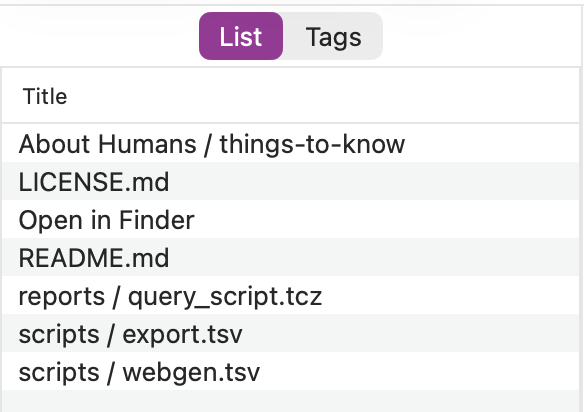
I haven’t been using Notenik much as of late and it is escaping me how I should go about opening / viewing the About Humans project once downloaded from Githib. What should I be opening in Notenik to view it? Have tried opening various folders from the File menu in Notenik but with zero success.
Also, see the latest beta, which expands the range of the File > Open command to allow it to open either a Collection or a Project folder (making it less picky about the user selecting the “right” thing to open).
Thanks for the tips and the latest beta. This definitely makes it easier. When I first opened things it just wasn’t clear what I should be doing and that it would take a double-click in the list of items to actually open the collection with all the content.
For this web book did you start a collection with a Web book collection template of some sort - or was it just a regular collection (conforming to Export as Web Book | Notenik Knowledge Base )? Were these associated files generated when you finally Exported as a web book? Just trying to figure out what your starting point was.
I think I started with the Web Book starter pack — but the main thing is that you need a collection with a seq field and a level field. I’ve thought about putting together a step-by-step explanation. Your questions are encouraging me to start down that path.
Well, most of them aren’t needed. I’ve just updated the project on GitHub to remove some of this stuff, and to add some additional explanation to the README file.